features galore
there’s so much in solstone now that we built a page to hold it all: solstone.app/features. the top ten come first, with screens, then the full list, which you can search or filter by the device you have.
every screen on it comes from a demo journal we wrote: a year in the life of William Shakespeare, 1595, kept on 2025 dates. the whole journal is public, so you can read the day behind any screen. the pictures in this post come from William’s year too.
and the list keeps growing. here’s what’s new in the 89 releases since our last update.
new here? solstone is a personal journal platform. the solstone app takes in what you share with it, and all of it goes into your journal, an open source, local-first memory that your agents can work from. your journal lives on a device you own. get it on mac, windows or linux: solstone.app/download. on your phone or tablet: solstone.app/mobile.
your agents read only what you pick
the agent that helps with your meetings doesn’t need your photos. so each kind of material is now its own switch, per agent: body data, notes, documents, calendar, places, photos, and written messages, including a meeting’s chat. an agent you connected before these updates can’t read any of them until you turn them on for it on the agents page. a new connection starts with body ticked and the rest off. and with the newest journal, 2.0.91, cycle and pregnancy logs get a switch of their own under body, off for every agent, including the ones you already connected.
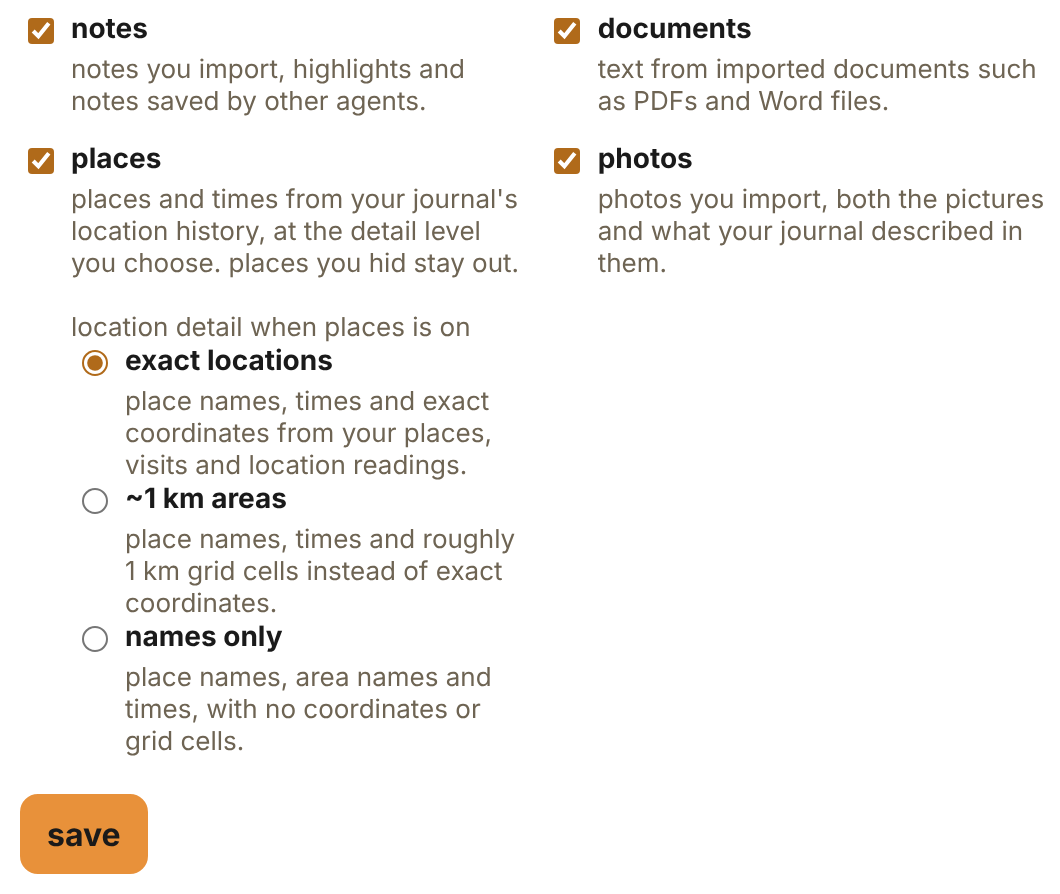
places gets one more choice: exact locations, areas about a kilometer across, or names only. exact is the default when you turn places on, and an agent that already had places stays at names only until you change it. at names only, William’s agent knows he spent the night “at High Wycombe”, and nothing about where in town. places you hid stay out at every level.
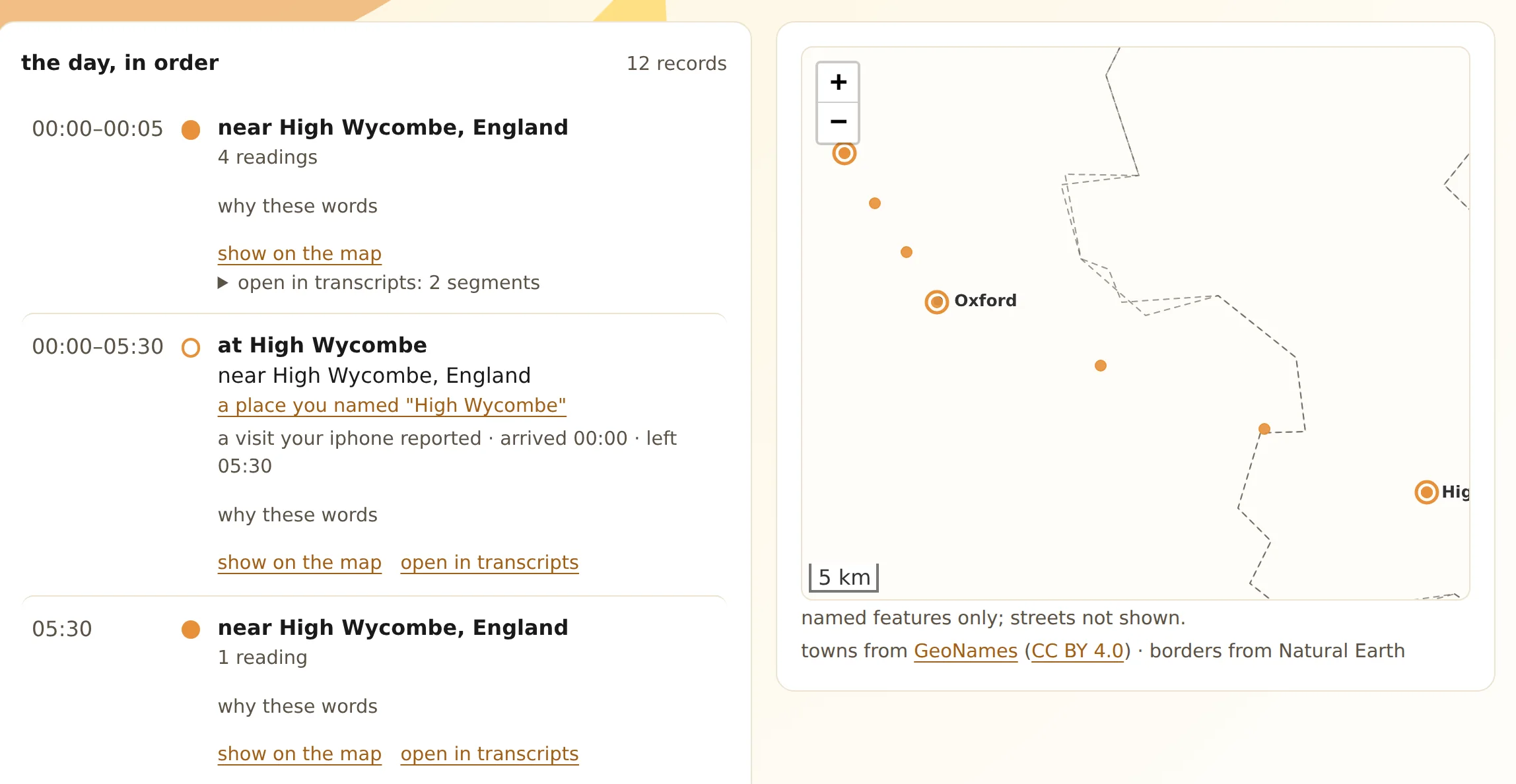
William’s 27 march, as he sees it.
an agent you let see photos now gets the picture itself, a smaller copy without location or camera details. connecting your journal to Claude walks through the setup.
your agent can suggest, you decide
in our last update, you got a way to tell your journal it’s wrong. now a connected agent can point things out too, by suggesting a fix to who said a line, what happened, or a person’s name. it can also suggest that two people in your journal are really one. each suggestion waits on the suggestions page with the agent named, and nothing changes until you accept it.
a whole year at a glance
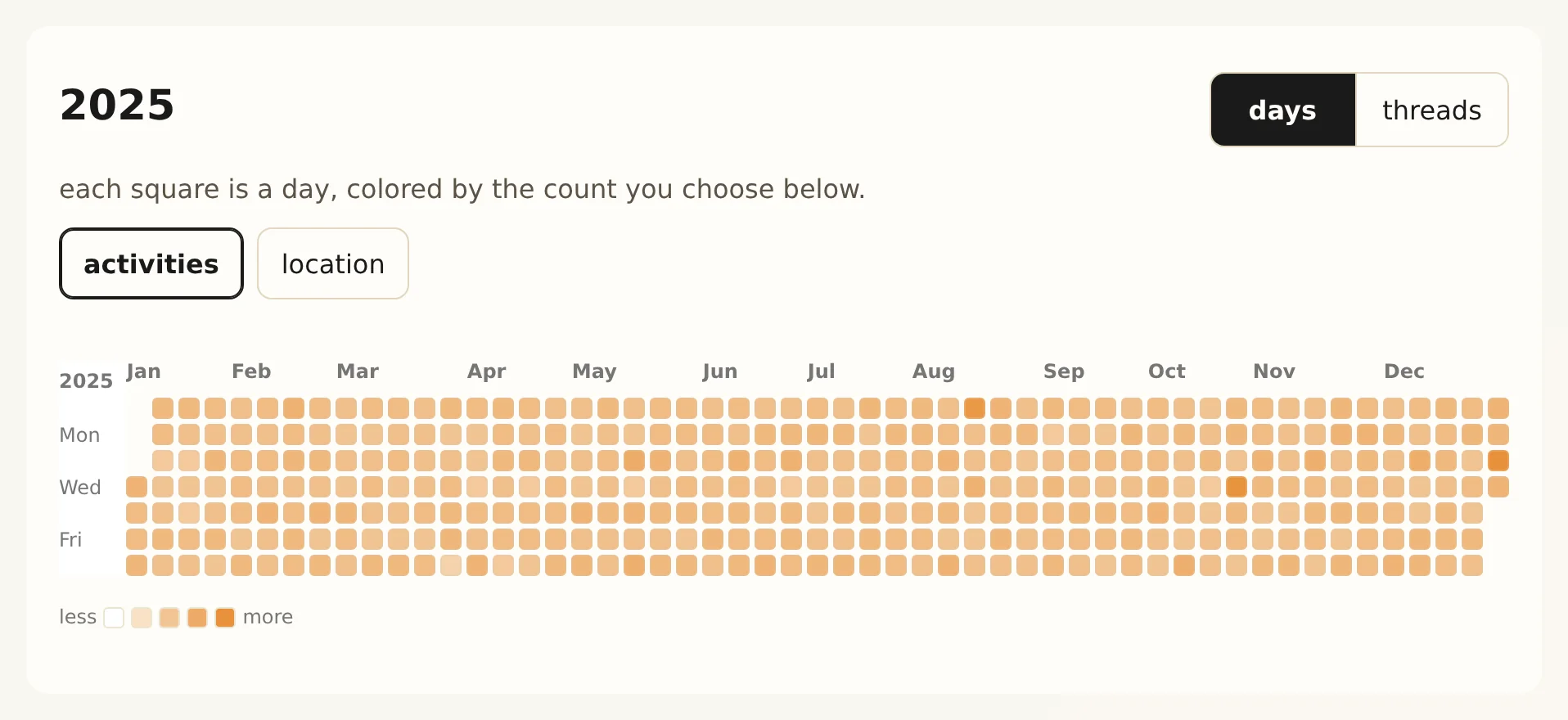
here’s William’s year on the new year page, which shows a whole year of your journal at once: one view colors each day by how many activities or location records your journal holds for it, and the other lays out each place and each name as a row across the year’s weeks. find it under “more”.
take back a stretch of time
had an afternoon you’d rather not keep? on a day’s transcripts page, choose “delete a stretch of time” and pick a “from” and a “to”, on one day or across several. each device’s audio, screen and location from then, what you imported and your body data go to the trash together. recovering it puts all of it back.
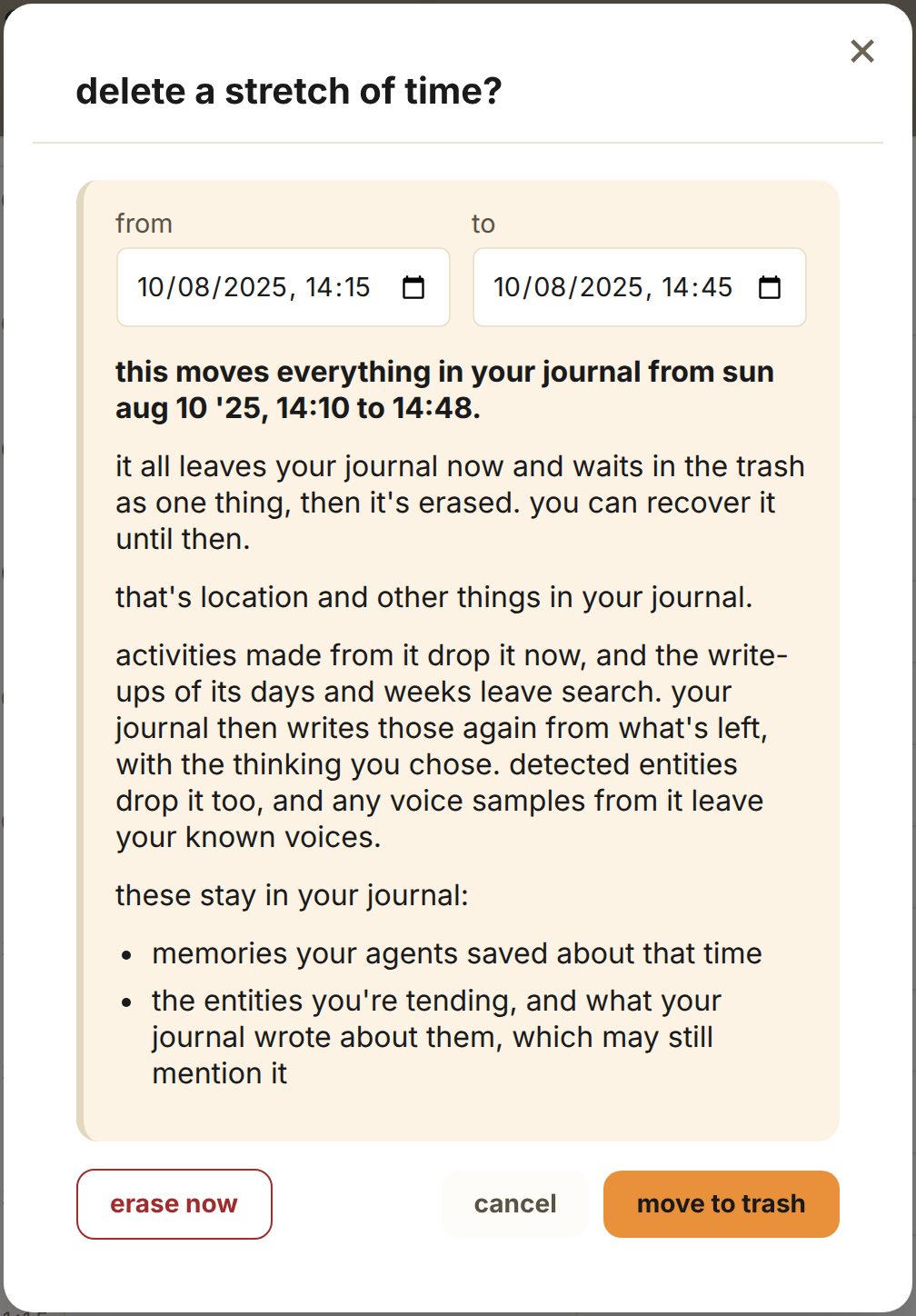
William, about to take back half an hour of a sunday in Stratford. the journal shows exactly what it will move, 14:10 to 14:48, before anything goes.
your journal also rewrites what it made from what you deleted: activities drop it at once, and the summaries of those days and weeks are written again from what’s left. and when you erase something from the trash on mac or linux, you can now also remove it from your backups, while the rest of each backup stays as it is.
your screen, and your screenshots
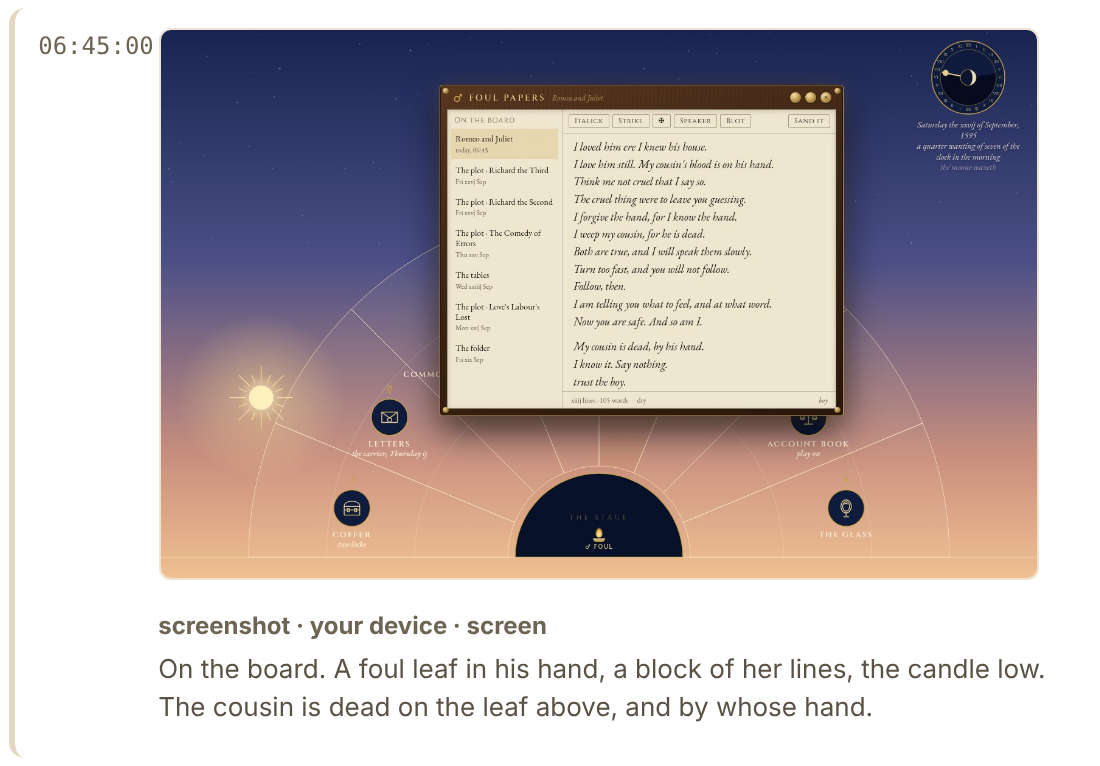
that’s William’s screen at a quarter to seven on 27 september, Romeo and Juliet open in his writing app, and what his journal wrote about it underneath. your journal already keeps your screen like this. now the screenshots you take go in too, on every platform: the solstone app on linux, windows, iphone and ipad joins mac and android. on iphone and ipad, your Obsidian notes can come along too.
more ways to bring your life in
- chats and transcripts: your journal now brings in exports from Telegram, Slack, Fireflies, MacWhisper, Whisper and Podcasting 2.0 directly (the exact formats).
- Garmin and Plaud: your journal can now sync Garmin Connect with your own Personal API key, for workouts, sleep, heart rate, steps and more. Plaud recordings now sync through Plaud’s own sign-in; if you used a web token before, sign in to keep syncing.
- any file, and it tells you how it’s going: the solstone app on mac, windows and linux takes any file you import, and your journal decides what it can bring in. you can watch each one go from sending to done, and one your journal wants you to look over first, like an Apple Health export, opens its own review page.
- what your journal keeps: from a new audio, PDF, chat or Evernote import, your journal keeps what it reads, not its own copy of the file. turn on keep originals on the import screen if you want that copy.
linux keeps itself up to date
on linux, a journal installed the default way now updates itself once a day, from a signed release catalogue, and never restarts your journal to do it: the new version starts the next time your journal does. a journal you already have asks you first. you can also install and update it with apt, dnf or zypper.
confidential processing
the journal’s 2.0.85 update is a security fix for confidential processing: your journal now sends only to machines that booted the service’s current published build, and refuses one that booted the previous build. its release note says what the previous build’s two flaws allowed. if you use confidential processing, update. how your journal checks our machine before it sends anything is in this post.
smaller things
- your journal no longer describes a screen again when it looks the same as a few minutes earlier, so a quiet desk uses much less of the thinking you chose.
- your journal can suggest profile pics for the people in your meetings, and you choose one or none. it’s on by default, and agents you connect get them too. you can turn off either one.
- a link from your agent now opens your journal at that place, in the solstone app on mac, windows, linux, android, iphone and ipad.
- on the body page you can hide a day of body data: search and activities leave it out, and connected agents can’t reach it.
go see what else William’s journal can do: solstone.app/features.
what shipped
89 releases between our last update and november 25:
- the journal, on mac, windows and linux: 15 releases, 2.0.76 → 2.0.91 (there was no 2.0.77, and windows skipped 2.0.83), with signed release records at trust.solstone.app
- the journal app for mac: 15 releases, 2.0.76 → 2.0.91
- the solstone app for mac: 14 releases, 2.0.65 → 2.0.78
- the solstone app for linux: 14 releases, 2.0.40 → 2.0.53
- the solstone app for windows: 12 releases, 2.0.48 → 2.0.59
- iphone, ipad and apple watch: 2 releases, 2.0.12 and 2.0.13, on the App Store
- android: 14 releases, 2.1.42 → 2.1.55
- android watches: 3 releases, 1.0.0 → 1.0.2
sol pbc is a public benefit corporation. the promises about your data live in article 8 of our filed articles of incorporation, not in a policy we could quietly change: it can’t be amended without jer’s personal signature, and after him the language can only get stronger, never weaker. what that means.